Your $800-$2,000 GPU can be throttled by a $80 case and sloppy airflow. I’ve diagnosed dozens of “bad GPU” complaints that were really heat-soak: front panels choking intake, fans fighting each other, and hot air recirculating straight into the card.
The cost isn’t just noise-it’s lost boost clocks, stutters in demanding games, and accelerated fan wear. Ignore airflow long enough and you end up repasting, swapping cases, or replacing parts that weren’t broken.
Inside, I’ll show you how to size and place intake/exhaust, set pressure correctly, and manage GPU-specific hotspots (VRAM, VRM, and backplate heat) for your exact layout.
Use these airflow rules to drop GPU temps, stabilize clocks, and keep your high-end graphics card quiet under sustained load.
GPU-First PC Case Airflow Layouts: Front-to-Back vs Bottom-to-Top Fan Placement That Actually Lowers RTX/Radeon Hotspot Temps
Most “balanced” front-to-back builds starve modern triple-fan GPUs of cool intake, letting hotspot temps run 10-20°C above edge temperature even with acceptable core temps. The common mistake is prioritizing CPU exhaust path while the GPU recirculates its own heated plume under the shroud.
| Layout | What Actually Happens | Hotspot Outcome (Typical) |
|---|---|---|
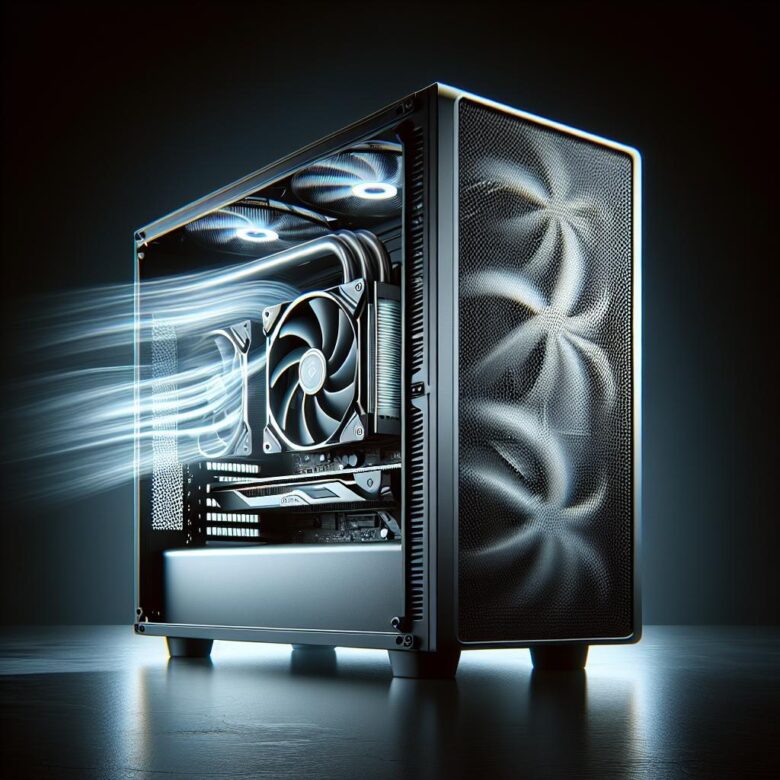
| Front-to-Back (front intake, rear/top exhaust) | GPU pulls pre-warmed air from case interior; front fans feed CPU zone first, GPU becomes a downstream consumer. | Hotspot often unchanged or +2-6°C vs open-air baseline unless front intake is high CFM and unobstructed. |
| Bottom-to-Top (bottom intake under GPU, top exhaust) | Direct, short-path intake to GPU fans; heat rises into top exhaust, reducing recirculation at the card’s backplate and VRM end. | Hotspot commonly drops 5-12°C, especially on RTX 30/40 and RX 6000/7000 with dense finstacks. |
Field Note: Logging per-sensor deltas in HWiNFO64, I fixed a client’s RTX 4080 hotspot spikes by flipping two “top intake” fans to exhaust and adding a filtered 140mm bottom intake aligned under the GPU’s first two fans.
Dialing In Case Fan Direction & Pressure: Proven Intake/Exhaust Ratios, Static Pressure Picks, and Curve Tuning for High-Wattage GPUs
A 350-450W GPU can recirculate its own exhaust if top fans are set as intake or if front intakes are underpowered-expect 5-12°C higher core temps and hotspot spikes. Aim for a controlled front/bottom-to-rear/top flow, then tune pressure so dust doesn’t become the “third heatsink.”
| Goal | Proven Intake/Exhaust Ratio | Fan Type & Curve Guidance |
|---|---|---|
| GPU-first thermals (mesh cases) | ~60/40 intake-heavy | Use high static-pressure 120/140mm on front/bottom; ramp intakes to ~55-65% by 60°C GPU, exhaust ~10-15% lower. |
| Quiet + clean (filtered fronts) | ~65/35 intake-heavy | Static-pressure fans mandatory behind filters; set a gentle baseline (25-35%) and avoid step changes to prevent airflow “stall.” |
| Radiator + high-watt GPU | ~55/45 balanced | If front rad is intake, add bottom intake to feed GPU; tie curves to GPU temp using FanControl so case airflow tracks the real heat source. |
Field Note: After logging with HWiNFO64, I fixed a client’s 4090 hotspot oscillation by flipping top fans to exhaust and smoothing the intake curve (no RPM jumps), dropping hotspot ~9°C at the same noise level.
Eliminating Airflow Killers Around the Graphics Card: PCIe Slot Covers, Cable Routing, Radiator Orientation, and Dust Filter Strategies for Cooler Boost Clocks
Most “mystery” GPU hotspots aren’t from lack of intake CFM-they’re from turbulence and recirculation created right around the PCIe area, often adding 3-8°C to edge temp and cutting boost stability. The usual culprit is an airflow short-circuit: warm exhaust re-enters the fans because the path of least resistance is behind the card.
- PCIe slot covers: Keep unused covers installed to stop backflow, but if your case has strong front-to-back pressure, selectively vent one or two below the GPU can reduce exhaust stagnation; validate changes with HWiNFO64 hotspot and fan RPM telemetry.
- Cable routing: Don’t let PCIe power leads or front-panel bundles drape into the GPU intake arc-tie them to the tray and keep a 25-40 mm “clear cone” in front of the fans to prevent boundary-layer separation and noise spikes.
- Radiator + dust filters: A top radiator should exhaust, not intake, to avoid feeding the GPU pre-heated air; clean or upgrade restrictive bottom/front filters, and avoid stacking fine mesh + foam which can drop airflow enough to force higher GPU fan duty.
Field Note: On a client’s RTX 4090 build, simply re-routing the 12VHPWR cable off the fan plane and flipping a top AIO to exhaust dropped hotspot by 6°C and stopped intermittent boost oscillation under 450 W loads.
Q&A
Q1: How should I configure intake and exhaust fans to keep a high-end GPU cool without making the case dusty?
A balanced, front-to-back (or bottom-to-top) airflow path is the most reliable approach. Use slightly positive pressure (a bit more intake than exhaust) to reduce dust ingress through unfiltered gaps, while still moving enough air across the GPU.
- Recommended baseline: Front (or bottom) intakes + rear (and/or top) exhaust.
- Positive pressure target: More filtered intake CFM than exhaust CFM (roughly +10-20% intake), then validate by checking dust buildup and temps.
- Priority placement: Put your strongest intakes closest to the GPU’s fan intakes (typically front/bottom). Ensure all intakes are filtered.
- Common mistake: Too much top exhaust can “short-circuit” airflow by pulling cool air out before it reaches the GPU.
Q2: Should I add bottom intake fans (or a side fan) to help a power-hungry GPU, and when does it actually work?
Bottom intake is often the single most effective add-on for modern high-end GPUs because it feeds the card with the coolest ambient air and supports the GPU’s axial fans. It works best when there’s adequate clearance under the case and a dust filter that isn’t overly restrictive.
- Best case: Cases with bottom fan mounts and at least ~20-30 mm feet clearance; use a clean, low-restriction filter.
- When it helps most: Thick 3-4 slot GPUs, quiet fan curves, or cases with restrictive front panels.
- Side intake (if available): Can help in compact builds, but can also disrupt front-to-back flow; treat it as supplemental intake aimed at the GPU zone.
- Quick validation: Run a repeatable GPU load and compare GPU hotspot and memory (if available) temps before/after; a meaningful improvement is typically several °C under sustained load.
Q3: My GPU core temperature looks okay, but hotspot or VRAM temperatures are high-what airflow changes address that?
Elevated hotspot/VRAM temps often indicate the GPU is recycling warm air or the case airflow is insufficient at the card’s intake area, even if average core temperature appears acceptable. The goal is to increase fresh-air delivery directly to the GPU while preventing recirculation.
- Increase intake “quality”: Prefer higher static-pressure fans on restrictive filters/mesh; ensure front/bottom intakes are unobstructed (no cable bundles or drive cages blocking the fan’s path).
- Reduce recirculation: Add/upgrade bottom intake, and avoid excessive top exhaust that pulls intake air upward prematurely.
- Create a clean airflow channel: Use a rear exhaust to pull warm air out behind the GPU; consider adding a top-rear exhaust (not necessarily top-front) to remove GPU exhaust plume without short-circuiting.
- Check case constraints: If the GPU is very close to the side panel or PSU shroud, intake can be starved-relocating fans or using bottom intake can be more effective than simply increasing RPM.
Summary of Recommendations
The biggest mistake I still see is “more fans” masking a bad airflow path-especially when GPU exhaust gets trapped by a front radiator or solid front panel. Aim for clean front-to-back flow, keep the GPU’s intake unobstructed, and don’t ignore cable bulk in the intake corridor.
Pro Tip: If you only change one thing, match intake and exhaust within ~10% and verify it with a strip of tissue at each vent; turbulence and backflow show up instantly, while temps often lag by minutes.
Right now, run a 10-minute GPU load (your usual game or a stress test) with the side panel on, log GPU hotspot and fan RPM, then repeat with the panel off-if hotspot drops >5°C, your case airflow is the bottleneck.

Leo Sterling is a dedicated hardware analyst and PC building veteran with over a decade of experience in the semiconductor industry. As the lead editor of GPU Pulse, Leo specializes in real-world benchmarking and silicon architecture. Having built his first gaming rig during the golden age of 1080p, he now focuses on the intersection of AI-driven upscaling and high-refresh-rate gaming. When he’s not analyzing frame timings or undervolting the latest flagship cards, Leo can be found experimenting with custom water-cooling loops and mentoring new builders in the community.